Website is a customer-facing product
Updated November 2026
Planning conversations about traffic often stop at the click. Once people click, they go to the website. I find the more useful questions start there. Which page do they land on, which segment are they in, and what did they come to do?
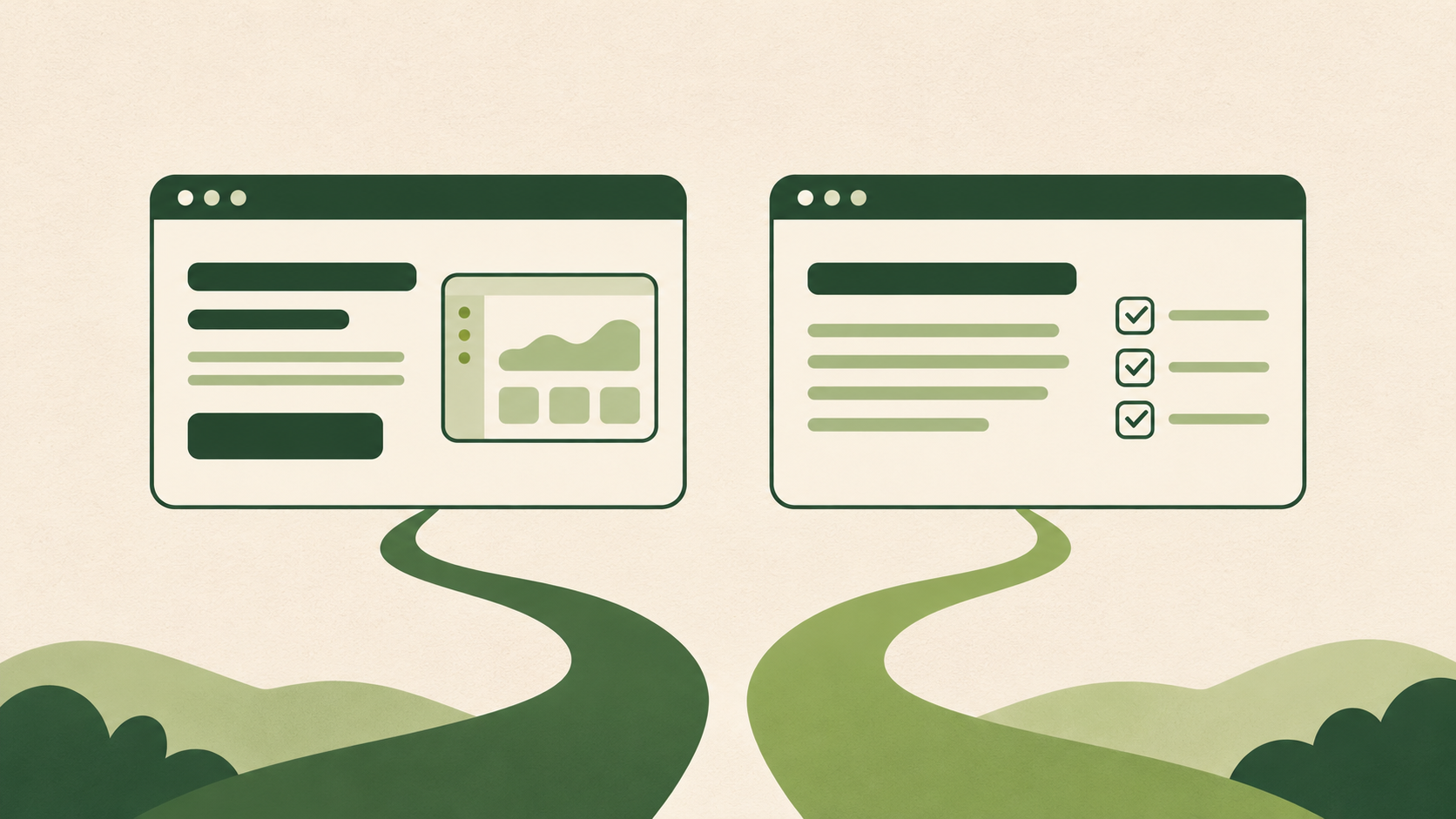
The answer depends on where they arrive from. Someone who signed up for a webinar lands with different expectations from someone who clicked a LinkedIn ad. Every paid landing page and every guide can be the first experience a person has with your business. That is why I approach a website as a customer-facing product, with each entry point treated as the start of a journey.
This guide explains what that means in practice: what website product management is, what the person in that role owns, how the work starts from the customer's goal, and who can do it. Worked examples run through it, and there is a page-review template at the end you can copy.
What is website product management?
Website product management is the practice of running a website as a customer-facing product. One accountable owner sets the website's goals and understands the customer journeys that pass through it. They use research and data to decide what to build or improve, plan how the site grows and keep a prioritised roadmap. That ownership covers messaging, content strategy, information architecture, page templates and functionality.
The difference from running a website as a marketing channel is where decisions start. A channel view starts from the campaign, the keyword or the release. A product view starts from the visitor: where they arrived from, what they came to do, and whether they made progress towards it.
Why manage your website as a product?
Because the website is where paid traffic, organic search and AI discovery all lead, and each of them sends a different person with a different reason to visit.
Most of the effort usually goes into bringing people in: paid campaigns, guides that rank in Google, and content that gets cited by assistants such as ChatGPT or Perplexity. What happens after the click tends to get less attention.
A visitor may not understand what you offer or whether it fits them. They may not find the way into your digital product, or their engagement may stop soon after they log in. These are product problems as much as marketing ones, and another block of copy or a few more testimonials is unlikely to solve them on its own. A website has an information architecture, user flows and working features, such as an embedded demo of a SaaS product. Each of them needs someone to decide where it belongs in the journey.
Google's own guidance on AI features and your website says there are no additional requirements or special optimisations needed to appear in AI Overviews or AI Mode. No page format guarantees a citation in an AI answer. What you can control is whether the page is useful to the person who lands on it.
What does a website product manager own?
A website product manager owns the outcome of the website for the customer and the business, and the decisions about what changes next. They don't need to write every page or ship every component. They decide what is worth doing, in what order, and how the team will know it worked.
Customer journeys
Mapping the main routes people take comes first: where they enter, what they need on the way and where they continue. That might be a demo request, a free trial, a signup or a login into the product. Each route has a segment and a goal attached to it.
Website goals
The goals connect a visitor's progress to a business outcome. A guide might aim to answer a specific question well and earn a next click towards the relevant service. A paid landing page might aim for qualified enquiries rather than the highest number of form fills.
Research
Research means bringing together what visitors say and what they do. That includes sales and support questions, site search terms, analytics by entry page and source, session recordings, and short interviews or usability tests. I've written more about how I combine these in customer journey diagnostics.
Prioritisation and the roadmap
Requests come from everywhere: a campaign that needs a page, an SEO brief, a sales team asking for a comparison page, an engineer suggesting a new component. Their job is to weigh these against the goals and the evidence, and keep one roadmap the teams can see.
Website growth
Growth decisions sit here too: which new guides, use-case pages or integration pages are worth adding, for which segment, and how they connect to the offer. SEO and content specialists bring the search demand. Making sure each new page has a job once someone lands on it is the website PM's part.
Decisions about what to build or improve
Some changes are copy. Some are a new template. Some are functionality, such as filtering, an interactive demo or a pricing calculator. I'd decide which kind of change the evidence supports, and often test the smallest version first.
The layers they make decisions across
Messaging
Messaging is what each segment needs to hear first, and in what words. It changes by entry point, even when the offer stays the same.
Content strategy
Content strategy decides which guides, pages and proof exist, for which questions, and how they connect to the offer.
Information architecture
Information architecture is how content is organised, structured and labelled so people can find what they need. Card sorting and tree testing are practical ways to check it before a redesign.
Page templates
Templates set the order and the building blocks a page type can use. A guide template and a paid landing page template should not look the same, because their visitors arrive with different questions.
Functionality
Functionality covers the living parts of the site: filters, search, calculators, embedded demos, forms and the handover into the product itself.
How does website product management start with the customer's goal?
It starts by naming the visitor's goal for a specific entry point before deciding anything about the page. I ask four questions: which page, for which segment, for what, and what did that person come to do?
Then I work backwards. What do they need to see first? What would make them trust the answer? What is the next step that makes sense from where they are? And what would tell us they made progress?
The GOV.UK Service Manual puts this well for public services: focus on the user's problem rather than possible solutions. I find the same holds for a commercial website.
The two examples below show how much the answers change, even inside one business.
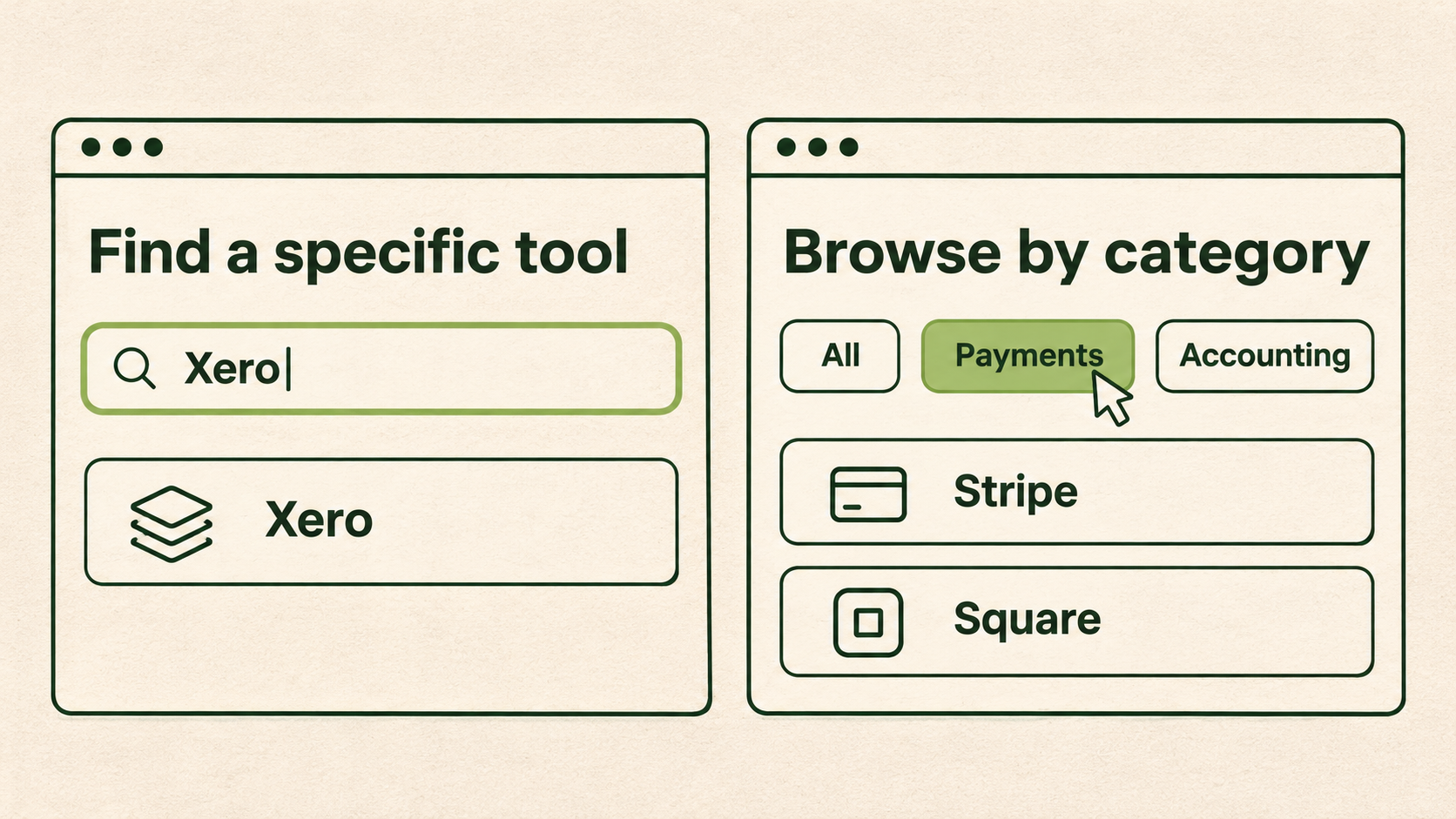
Two integration directory wireframes show a search for Xero returning one match and the Payments filter showing Stripe and Square.
Example 1: a paid landing page vs. a guide found through search or an AI answer
My example
Imagine a B2B SaaS company that sells scheduling software for field-service teams, such as maintenance and installation companies. It runs a LinkedIn Ads campaign to a landing page about the product. It also publishes a guide, "How to reduce missed maintenance appointments", which ranks in Google and is sometimes cited in AI answers.
The same offer needs two different pages here. The person arriving from an AI answer has one specific problem in mind, so the guide should answer it first and then show how the software helps if they need more. The person clicking the ad wants to know whether the company works with businesses like theirs and what a demo involves.
Segment
Paid landing page
An operations manager or owner at a field-service company who matches the campaign targeting. They may not be looking for software today, but the ad named a problem they recognise.
Guide
Anyone with the missed-appointments problem, including people who are not buyers yet, such as a coordinator who has been asked to fix it. Some will be a good fit and some never will.
Expectations
Paid landing page
They expect the page to continue the promise in the ad. Google's Quality Score guidance describes landing page experience as how relevant and useful the page is to people who click the ad.
Guide
They expect an answer to the question they asked. If the page opens with a product pitch, the promise that brought them there is broken.
Content order
Paid landing page
Who the product is for, the problem it solves for that segment, how it works, proof, and then what happens when you request a demo.
Guide
The direct answer, the practical steps, the situations where it gets harder, and only then a short section on how the software handles it, with a link to the relevant product page.
Proof
Paid landing page
Proof that answers "do you work with businesses like mine?", such as recognisable customers in the same sector, an integration with the tools they use, or a short case study.
Guide
Proof that the advice is credible: the author's experience, specific examples and sources. Product proof can come later, once the reader has their answer.
Next step
Paid landing page
A demo request or trial, with a clear note on what happens after they submit.
Guide
A softer next step that fits someone still working on the problem, such as a checklist, a related guide or the product page for the feature that helps.
Measures of success
Paid landing page
Qualified demo requests from the targeted segment, and whether those requests progress in the sales pipeline. Raw form fills alone can hide poor-fit enquiries.
Guide
Whether readers engage with the answer and take the next click, how many reach a product page, and over time whether guide readers appear among trials or demo requests. I'd read these by source, because a visitor from an AI answer may arrive with a narrower question than one from a broad Google search. Google Analytics 4 now has an AI Assistant channel for visits from tools such as ChatGPT and Gemini. Google's AI Overviews and AI Mode still count as Organic Search.
Example 2: filtering an integrations directory
My example
The same scheduling software has an integrations directory with a few dozen tools: accounting, CRM, payments, calendars and messaging. Someone in the team suggests adding filters. Here is how I'd work through it as the website PM.
How a website PM spots the problem
The signal usually arrives from several places at once. Sales hears "do you integrate with our accounting tool?" on demo calls, after the prospect has already visited the site. Support gets the same question from trial users. Site search shows people typing tool names. In analytics, the directory has a lot of visits but few clicks into individual integration pages.
Site search terms are one of the cheapest signals to start with. Nielsen Norman Group calls search-log analysis one of the biggest missed opportunities in UX research.
Telling a known-tool search from browsing by category
These are two different visitor goals, and they need different help.
Known-tool search
The visitor already knows which tool they use, say a specific accounting package, and wants a yes or no. They type its name or scan for its logo. Success is finding the answer in seconds and seeing how the integration works.
Browsing by category
The visitor is exploring, for example "which payment tools can I connect?", or they are choosing a tool alongside the software. They need groups that match how they think about their tools.
Baymard Institute's search research found that people who know the exact product they want typically type its name as it is. Others prefer to browse categories, and the balance varies by site.
I'd look at the site search terms and the sales questions to see which goal dominates. If most of them name a specific tool, the main job is known-tool search.
Deciding whether filtering is warranted
Filtering earns its place when the collection is large enough that people can't scan it, and when visitors want to narrow it by attributes they actually care about. Nielsen Norman Group's definitions of filters and facets make the same point: filters help narrow large sets, and work best when they match the dimensions that matter most to users.
With a few dozen integrations, filtering may be more than the directory needs. With a few hundred, and visitors who browse by category, it becomes much more likely to help.
The evidence that might put a simpler change first
Before building filters, I'd check whether a smaller change solves most of the problem. The evidence that would point me there:
- Most site searches and sales questions name a specific tool. A prominent search box on the directory, with common alternative names and spellings, would serve them faster than filters.
- The tools people ask about are already listed, but they don't recognise them. Clearer names, logos and a one-line description of what each integration does might be enough.
- People ask about tools that aren't listed at all. That is a content and partnership question, and filters won't help. A "not listed? ask us" route and a visible list of planned integrations would do more.
- The directory is short enough to scan. Grouping it under category headings on one page can do the work of filters with no functionality to build.
Choosing which filters to build
If the evidence does support filtering, I'd choose filters from the words visitors use, not from the internal product taxonomy. Category is the obvious one, such as accounting, CRM or payments. Others depend on what blocks a decision. That might be whether the integration is native or runs through a connector, or which plan it is available on.
I'd keep the first version small, two or three filters, and add more only if the data shows people need them.
Checking customers find a compatible integration more easily
I'd decide the measures before the change goes live:
- Searches on the directory that end with a click into an integration page, and searches that return no result.
- Clicks from the directory to individual integration pages, and from there to a demo or trial.
- Fewer "do you integrate with…" questions on demo calls and in support, which sales and support can tag for a few weeks.
- A short task test with a handful of target users: "Find out whether the software connects with the accounting tool you use." I'd watch how they do it, not only whether they succeed.
If the simpler change already moves these, the filters can wait.
How does website product management connect to SEO and website growth?
Website growth is part of the same job. SEO and content bring new people to the site through the questions they search for. The website PM decides which segments the site should grow for, and what each new page has to do once those people arrive.
Growth through search often means adding pages rather than polishing existing ones: guides for the questions a segment asks, use-case pages, comparison pages and a page for each integration. Each new page is another entry point. It needs the same thinking as the examples above: who lands there, what they came to do and what the next step is.
A few decisions sit with the website PM rather than with SEO alone:
Which page types to invest in
A guide, a use-case page and an integration page serve different stages of a buyer's journey and need different templates.
How pages scale
When a site adds dozens of similar pages, such as one per integration, the template sets the quality of every one of them. Improving the template improves them all at once.
How pages connect
Internal links from guides to the relevant product or service pages are part of the journey, not only an SEO task.
What to fix in the build
Page speed, page structure and whether search engines can crawl the site are engineering work that affects growth, so they belong on the same roadmap.
How growth is measured
Traffic and rankings show reach. I'd also check whether new entry points bring the right segment, and whether those visitors move towards a trial, demo or enquiry.
My example, continuing Example 2
Suppose the integrations directory gets an individual page for each tool. Those pages can match searches such as "[accounting tool] integration with scheduling software". As website PM, I'd decide what each page needs for someone who lands on it directly: whether it connects, what it syncs, how long setup takes and how to try it. For those visitors, the directory filters matter less, because search has brought them straight to the answer.
AI discovery follows the same logic. Pages that answer one question clearly, with specific detail and sources, are more useful to the people who land on them. That is also what Google's guidance points to for its AI features, with no special format required.
How does the website connect to signup and the product behind a login?
For many digital products, the website journey doesn't end at the form. It runs from prequalification, through signup, into a product the customer uses on the same site. That might be a dashboard, a research library or an information resource behind a login and a paywall. I treat these steps as one journey, even when different teams own each part.
My example
Imagine a market intelligence company that sells access to industry reports and a data dashboard. The public site has free guides and report summaries. Subscribers log in to read full reports and use the dashboard, and some reports sit behind a paywall for higher plans.
Prequalification
Before signing up, visitors need to work out whether the product fits them: which markets it covers, how recent the data is and which plan suits them. Prequalification can be content, such as coverage pages, a sample report and pricing that explains the plan differences. It can also be a feature, such as two or three questions that route people to a trial or to a sales call.
Deciding how much to ask sits with the website PM. Every extra question filters out some visitors, so I'd ask only what changes the next step for that person.
Signup
The promise made on the public page should carry into signup. If someone arrived from a guide about one market, the first screen after signup could open on that market rather than an empty dashboard. I'd keep the signup form to what the product needs to set up a useful first view.
The product under a login
Once someone logs in, the dashboard or library is still part of the journey that started on the public site. Whether they find a first useful report or chart, and come back, shows whether the earlier pages set the right expectations.
The paywall
The paywall is where the public site and the paid product meet. What sits in front of it, such as summaries and sample charts, does marketing and search work. What sits behind it is the product people pay for. How much free content shows enough value, and what the upgrade prompt says when someone reaches a limit, are shared decisions with the product team. An SEO specialist should check how search engines see the paywalled pages.
Who owns which part
Where the line sits varies by company. Often the website PM owns the journey up to the first login, and the product team owns what happens inside the product. They still need shared measures, because a promise on a guide affects activation weeks later. I cover activation, retention and upgrades in more depth in product growth and monetisation.
What to measure across the flow
I'd read each step by entry point, so the team can see which pages bring people who go on to use and pay for the product:
- Qualified signups, compared with all signups.
- The share of new users who reach a first meaningful action, such as opening a full report or setting up a dashboard view.
- Paywall views that lead to an upgrade.
- Return visits in the first few weeks.
- The step where people stop, from the first page they saw to the first paid month.
This usually means joining website analytics with product analytics, such as Google Analytics 4 with PostHog or Amplitude, so one person can follow the whole path.
Who can be a website product manager?
Anyone who can own the website's outcome across disciplines can be a website product manager. The title matters less than the job. People come into it from product, growth and CRO, UX, SEO and content strategy, or engineering, and each background brings something useful.
From product management
A product manager brings discovery, prioritisation and the habit of tying work to an outcome. They are used to saying no to good ideas that don't serve the goal. They need to learn acquisition: how paid, organic and AI discovery shape who arrives, and why messaging changes by entry point.
From growth and CRO
A growth or CRO specialist brings experimentation, analytics and a sharp eye for where people drop off. They know how to size a change before building it. The stretch for them is to look beyond single-page tests to the journey, the information architecture and the content that sits around the conversion page.
From UX
A UX designer or researcher brings user research, flows and information architecture. They are often the first to see that people can't find something. Their next step is to connect usability to commercial goals and to the cost of building a change.
From SEO and content strategy
An SEO or content strategist brings intent research, site structure and a deep understanding of search and AI discovery. They know what people are asking before they arrive. They need to own what happens after the click: proof, next steps and product handover, not only rankings and traffic.
From engineering
An engineer brings a clear view of what the CMS, templates and components can do, and what a change really costs. They can often suggest a cheaper way to reach the same outcome. What they have to add is customer research and messaging, so decisions don't start from the build.
What every website PM must be able to own
Whatever their background, the person in the role must be able to:
- Agree the website's goals with the business and tie them to commercial outcomes.
- Understand each main segment and entry point, and what those visitors came to do.
- Make decisions across messaging, content, information architecture, templates and functionality, even when other people do the work.
- Keep one prioritised roadmap and explain the trade-offs behind it.
- Decide how success is measured before a change ships, and look at the results after.
In a smaller company
In a smaller company, the founder or an existing team lead can take on the accountability without a new hire. That might be the head of marketing, the head of product or the lead designer. What matters is that one named person owns the website's goals, the roadmap and the decisions, and has the time to do it. They can lean on the specialists they already have, or bring in fractional support, without handing over the ownership itself.
Website page-review template
Use this template to review one page from one entry point. Copy it, fill it in for a single page, and repeat for each important entry point.
WEBSITE PAGE REVIEW

Page:
Segment: Who is this page for?
Entry point: Where do they arrive from (ad, search, AI answer, email, referral, webinar)?
Visitor goal: What did they come to do?
Value and proof: What do they need to believe, and what shows it?
Template and content: Does the page type and content order fit that goal?
Features: Which functionality helps or blocks them?
Next step: What is the next step that makes sense from here?
Evidence: What data and research do we have, and what is missing?
Decision to make: What will we change, test or leave, and how will we measure it?
Filled-in example: the field-service guide from an AI answer
My example, continuing Example 1
Page
The guide "How to reduce missed maintenance appointments".
Segment
Operations managers and coordinators at field-service companies who are dealing with missed appointments. Some are evaluating software, many are not yet.
Entry point
A citation in an AI answer, plus organic search for the same question.
Visitor goal
Understand why appointments are being missed and what they can change this month.
Value and proof
Practical, specific steps they can trust. Proof comes from the author's experience, examples from field-service work and cited sources.
Template and content
The page currently uses the standard blog template, with a product banner above the first paragraph. The direct answer appears only after a long introduction.
Features
No functionality is needed for the answer itself. An embedded two-minute product demo could help readers who reach the section on scheduling tools.
Next step
A link to the scheduling feature page at the point where the guide discusses automated reminders, and a downloadable checklist for readers who aren't ready for that.
Evidence
Analytics show the page's sessions by source, scroll depth and clicks to product pages. We don't yet know how AI-referred visitors behave compared with search visitors, or how many later start a trial.
Decision to make
Move the direct answer to the top, move the product banner to the tools section, and add the contextual link to the feature page. Then compare clicks to the feature page by source over the following month.
Who should own the website as a product?
Ownership of a website is often split. Marketing runs the campaigns, SEO or content looks after the guides, and design and engineering own the build. Each team can do its part well while the journey between them has no owner.
The decisions in between are the ones this guide covers: which template a page uses, what content it carries, what value it shows each segment, and whether visitors make progress towards their goal. A small feature, such as a filter that narrows case studies by industry, touches UX, content and development at once. Someone needs the authority to decide on it.
If acquisition, content and development sit with different teams in your business, it is worth naming one person who owns how the website works for the customer and what gets improved next.
If you'd like help setting up that ownership, or reviewing the journeys your main entry points create, I work on this in website strategy and optimisation. When the journey continues into signup, activation and paid conversion, that sits in product growth and monetisation.
FAQ
What is website product management?
Website product management is running a website as a customer-facing product. One accountable owner sets its goals and understands the journeys through it. They decide what to build or improve, plan how the site grows and keep a prioritised roadmap across messaging, content, information architecture, templates and functionality.
What does a website product manager do?
A website product manager decides what the website should change next and why. They map entry points and segments, agree goals with the business, bring together research and analytics, prioritise requests from marketing, SEO, sales and engineering, and decide how each change will be measured.
Is SEO part of website product management?
SEO is one of the main ways a website grows, so it sits inside website product management rather than beside it. SEO specialists bring search demand and technical expertise. The website PM decides which pages to add for which segment, sets the templates they use, and checks whether new visitors make progress.
Does website product management include the product behind a login?
It includes the handover. A website PM owns the journey from the first page through prequalification and signup to the first login, and agrees shared measures with the product team for what happens inside. In smaller companies, one person often owns both.
Is a website product manager the same as a web manager or a CRO specialist?
Not quite. A web manager often runs the CMS and publishing, and a CRO specialist focuses on testing conversion points. A website PM owns the outcome across the whole journey and decides between copy, content, structure and functionality changes.
Does a company need a full-time website product manager?
Not always. In a smaller company, a founder or an existing team lead can take on the accountability. What matters is that one named person owns the goals, the roadmap and the decisions, with the time to do it properly.
How do you make a website easier to find and cite in AI answers?
Make each page clearly useful to the person it's for, with the direct answer early, descriptive headings and credible sources. Google says there are no special requirements for its AI features beyond its usual guidance. No format guarantees a citation.
Want to review a page with your team?
Get the detailed website page-review template by email so you can save it for your next landing page review or redesign planning session.